
Starting August 15, 2026, users on Windows 10 versions older than 22H2 will no longer receive any updates for the OneDrive sync application. This means no new features will be added, no bugs will be addressed, and crucially, no security vulnerabilities will be patched. Although OneDrive itself is expected to continue syncing files initially, Microsoft's official stance is that 'future functionality is not guaranteed.' This implies that over time, as the underlying service evolves, older sync clients may encounter compatibility issues, leading to unreliable performance or a complete loss of synchronization capabilities. For those who do not upgrade, the immediate impact will be a stagnation of their OneDrive experience, but the long-term risk involves potential data access problems and exposure to unpatched security flaws.
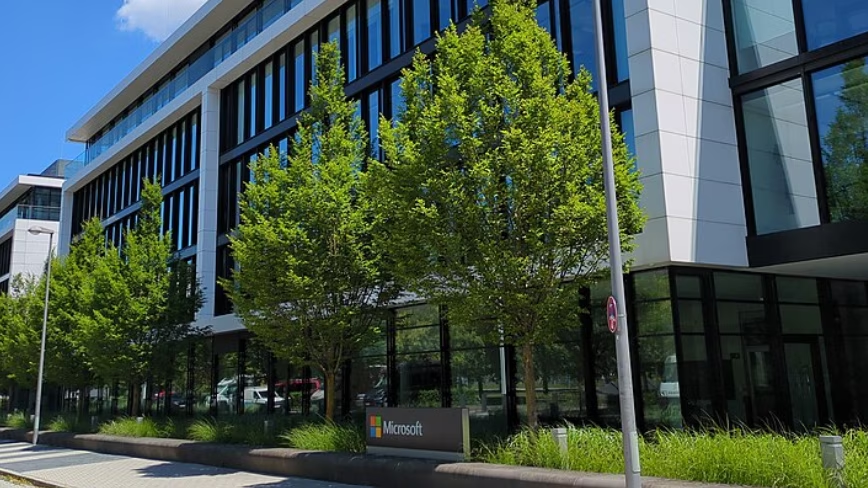
Image: courtesy of Thenextweb
The Real Cost of Not Upgrading Windows 10 Before OneDrive Sync Ends
Microsoft is set to discontinue OneDrive synchronization updates for older versions of Windows 10 starting August 15, 2026. This move will affect users running Windows 10 versions prior to 22H2, cutting off access to new features, bug fixes, and critical security patches for the sync application. While the service will not immediately cease functioning, Microsoft has stated that future functionality cannot be guaranteed, placing pressure on millions of users to upgrade their operating systems to Windows 10 22H2 or Windows 11 to maintain full support and data integrity.
Outlook
Background
Microsoft has a long history of guiding its vast user base towards newer operating system versions, often by gradually phasing out support for older iterations. Windows 10 itself is nearing its end-of-life, with the final version, 22H2, scheduled to receive security updates until October 10, 2028. This upcoming cutoff for OneDrive sync updates on pre-22H2 Windows 10 versions is a clear component of that broader strategy. It creates a practical incentive for users to upgrade, ensuring they remain on a supported platform. The decision reflects Microsoft's ongoing effort to streamline its development and support resources, focusing on a smaller number of actively maintained versions. OneDrive, as a foundational component of the Microsoft 365 ecosystem, relies on a constantly updated client to integrate new features and maintain robust security protocols. Allowing older, unsupported clients to persist indefinitely would fragment the user experience and create potential vulnerabilities across the cloud service.
Precedents
This isn't the first time Microsoft has used core service dependencies to encourage OS upgrades. The end of Internet Explorer support, the gradual deprecation of older Office versions, and various security update policies have all served similar purposes: to nudge users towards modern, more secure, and feature-rich platforms. Historically, Microsoft tends to provide ample warning, as it has done here, but the eventual cessation of support is firm. For instance, Windows 7, despite its popularity, eventually lost all official support, leaving millions of users vulnerable to security threats unless they upgraded. The company's strategy balances maintaining a stable user base with the need to innovate and secure its ecosystem. These phased rollbacks of support for specific applications on older OS versions are a common tactic, designed to apply pressure without completely breaking functionality overnight, allowing users a window to adapt.
For individuals and businesses relying on OneDrive for file storage, sharing, and collaboration, this change carries significant implications. Firstly, data integrity is at stake. Without ongoing bug fixes, the OneDrive sync client on older Windows 10 versions could develop unforeseen issues that corrupt files or lead to incomplete synchronization. Secondly, security becomes a major concern. Unpatched software is a prime target for cyberattacks, and a vulnerability in the sync client could potentially expose sensitive cloud data or provide an entry point into a user's local system. Thirdly, the lack of new features means users will miss out on improvements that enhance productivity and collaboration. This effectively creates a two-tier system: those with modern, secure, and fully functional OneDrive, and those with an increasingly outdated and risky experience. For IT managers, this move necessitates a proactive upgrade strategy to avoid potential compliance issues, data loss, and security breaches within their organizations. It also highlights the growing importance of staying current with operating system updates, not just for the OS itself, but for the critical applications that run on it.
Scenarios
AnalysisOne clear outcome is that a significant portion of the remaining Windows 10 user base will be compelled to upgrade. This could mean moving to Windows 10 22H2, which offers continued support until October 2028, or making the leap directly to Windows 11. The pressure to upgrade is likely to drive adoption rates for newer OS versions, particularly as the August 15, 2026, deadline approaches.
Another outcome, however, is that some users will inevitably ignore the warnings. This could lead to a growing number of devices running unsupported OneDrive sync clients. These users may experience intermittent sync failures, compatibility problems with new OneDrive features, or, more critically, face heightened security risks. This scenario could create operational headaches for businesses and expose individual users to data loss or compromise.
A third possible outcome is that third-party developers or the broader community might attempt to create unofficial patches or workarounds to extend the life of the OneDrive sync client on older Windows 10 versions. While such efforts could temporarily alleviate some issues, they would likely come with their own set of security and stability risks, as they would not be officially sanctioned or supported by Microsoft.
Ultimately, the success of this policy in driving upgrades will depend on how aggressively Microsoft phases out 'future functionality' for the unsupported clients and the severity of issues encountered by those who do not upgrade.
Timeline
Frequently Asked Questions
Discussion
Be the first to share your thoughts.